Live briefing
Everything about List of graphical user interface elements
List of common GUI elements
Graphical user interface elements are those elements used by graphical user interfaces (GUIs) to offer a consistent visual language to represent information stored in computers. These make it easier for people with few computer skills to work with and use computer software. Wikipedia →
🧭 Start here: a 6-step reading path
- Read the overview: List of graphical user interface elementsA 5-minute orientation
- Pick up a classic book: Java software solutionsThe most-reprinted book on the subject
- Go sideways: Graphical widgetA closely related topic
- Go sideways: Graphical user interfaceA closely related topic
📖 Definitions
No dictionary entry for this exact phrase.
🗂️ The subject at a glance
🏆 Landmark papers (most cited)
- No matching papers found.
📚 Books worth reading
 Java software solutionsLewis, John, John E. Lewis Ph. D. · 1997
 Objects first with JavaDavid J. Barnes, Michael Kolling · 2002
 Absolute beginner's guide to computer basicsMichael Miller · 2003
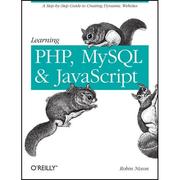 Learning PHP, MySQL & JavaScriptRobin Nixon · 2009
 Introduction to Computing Using PythonLjubomir Perkovic · 2011
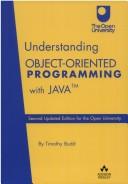 Understanding object-oriented programming with JavaTimothy Budd · 1998
 Raspberry Pi CookbookSimon Monk · 2014
 Evolution of a graphical user interface for the rapid prototyping of real-time embedded systemsKenneth Brett Moeller · 1997
Ranked by number of editions on Open Library, a rough measure of how lasting a book is.
🔗 Related topics
- Graphical widget In a graphical user interface (GUI), a graphical widget (also graphical control element or control) is an element of interaction, such as a button or a…
- Graphical user interface A graphical user interface, or GUI, is a form of user interface that allows users to interact with electronic devices through graphical icons and visual…
- Point and click Point and click are one of the actions of a computer user moving a pointer to a certain location on a screen (pointing) and then pressing a button on a…
- WIMP (computing) In human–computer interaction, WIMP stands for "windows, icons, menus, pointer", denoting a style of interaction using these elements of the user interface…
- Cursor (user interface) In human–computer interaction, a cursor is an indicator used to show the current position on a computer monitor or other display device that will respond…
- Window (computing) In computing, a window is a graphical control element. It consists of a visual area containing some of the graphical user interface of the program it belongs…
- Mouse button A mouse button is an electric switch on a computer mouse which can be pressed (“clicked”) to select or interact with an element of a graphical user interface…
- Context menu A context menu (also called contextual, shortcut, and pop up or pop-up menu) is a menu in a graphical user interface (GUI) that appears upon user interaction…